![OFS_Circle.png]](https://support.ofsystems.com/hs-fs/hubfs/OFS_Circle.png?height=45&name=OFS_Circle.png)
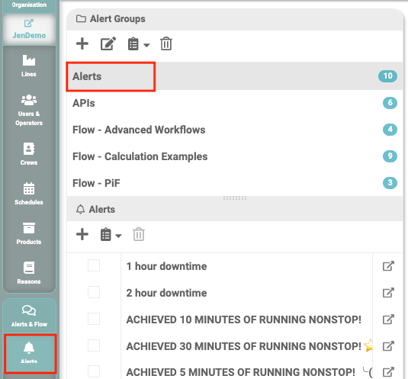
Step 1 — Create or select an alert group on the Alerts tab
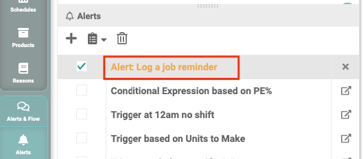
Step 2 — Create a new alert
Give it a name, e.g. Alert: Log a job reminder.
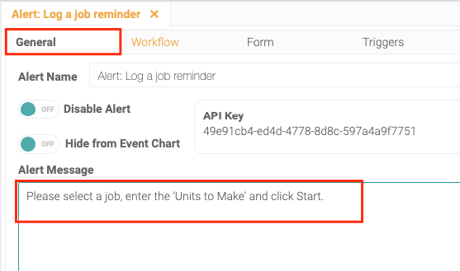
Step 3 — Enter the Alert Message on the General tab
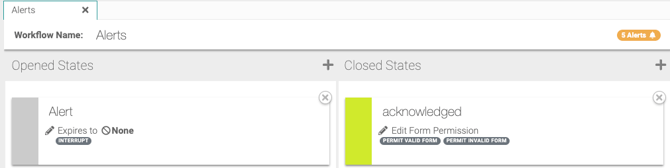
Step 4 — Set up an Open state and a Closed state on the Workflows tab
For example:
- Open: Alert
- Interrupt on
- Permit valid off
- Permit invalid off
- Closed: Acknowledged
- Permit valid on
- Permit invalid on
Every workflow needs at least one open state and one closed state — the closed state is how the operator dismisses the reminder once they've logged the job.
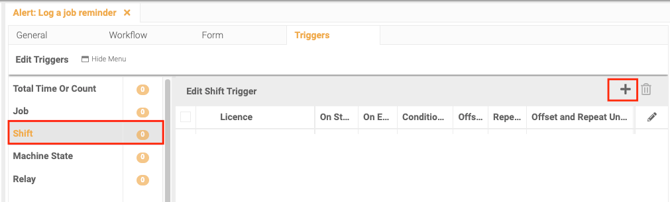
Step 5 — Add a Shift trigger
On the Triggers tab, click Shift, then the + icon.
Step 6 — Toggle on Offset
Step 7 — Enter the number
Enter how long after shift start to wait before reminding the operator, e.g. 10.
Step 8 — Select the units
Step 9 — Select the line
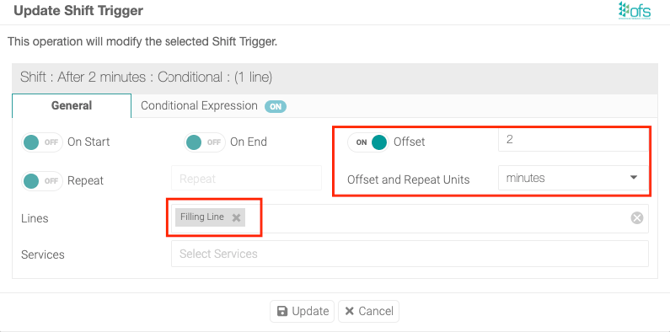
Step 10 — Click Update, then Save Changes
Update stages the trigger; Save on the page commits it.