![OFS_Circle.png]](https://support.ofsystems.com/hs-fs/hubfs/OFS_Circle.png?height=45&name=OFS_Circle.png)
Usually only the shift lead logs the shift. The rest of the crew do not each need to log in.
Step 1 — Start the shift
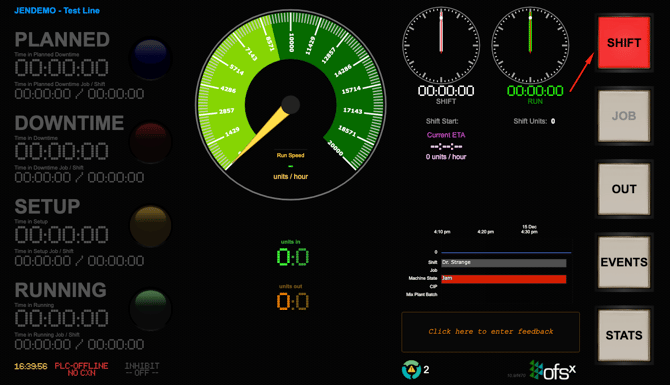
From the Console, press the flashing red SHIFT button.
In the dialogue that opens:
- select the Operator Name
- select the Crew
- press Start
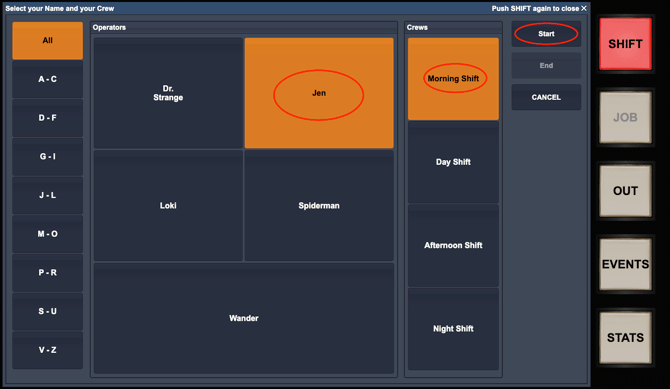
The operator and crew now show in the Console header, and the shift clock starts.
Step 2 — End the shift
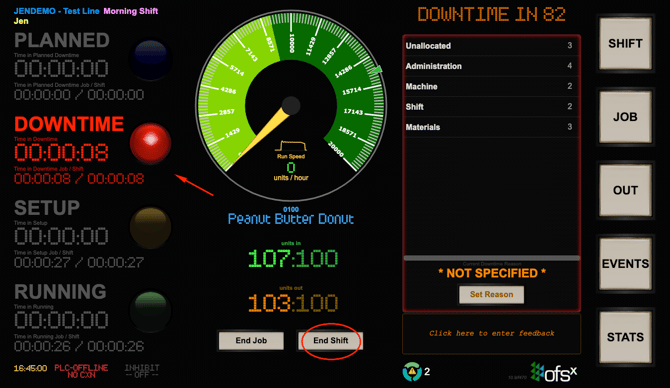
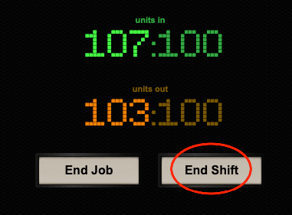
The End Shift button appears below the speedometer once the line has stopped. You can also end the shift from SHIFT → End.
Press End Shift. The Console clears the operator and crew from the header, the timers stop, and a summary of the shift just ended appears in the right pane.
If the End Shift button is not showing
When the line stops, a DOWNTIME IN countdown appears above the reason panel. While it is still counting down you can end the shift without doing anything else.
When it reaches zero the banner changes to PROVIDE REASON OR NEXT JOB, and End Shift is removed until the stoppage is explained. The countdown is 90 seconds by default and OFS Support can change it for your site.
To bring the button back:
Allocate a downtime reason
- Select a downtime category.
- Select the reason.
- Press Set Reason.
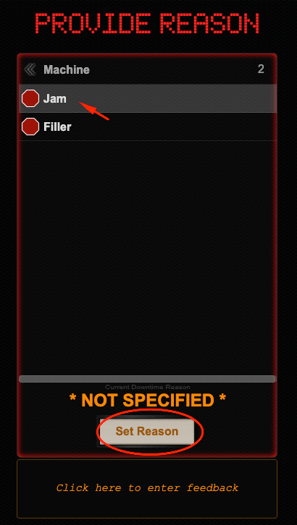
End Shift reappears as soon as the reason is set.
Handing over to the next crew
If a new crew starts as the current one finishes, the incoming lead just logs their shift as in Step 1. That automatically ends the previous shift. OFS calls this a hot shift change, and the line does not have to be stopped for it.
- Press the SHIFT button. It will not be flashing red.
- Select the Operator Name.
- Select the Crew.
- Press Start.
If the same job continues into the new shift, leave it running — ending a shift does not end the job, and the job's counts carry across the handover.
Why it matters
Data keeps collecting for as long as a shift is open. If the last crew before an unstaffed period does not log out, everything up to the next login is recorded as one long unallocated downtime — a Friday night shift left open shows the whole weekend as a single stoppage, and that lands squarely on the line's OEE.
The mirror image is just as costly: if an incoming crew does not log in, their output accrues against the previous crew.
So logging out matters most before an unstaffed period, and logging in matters at the start of every shift.